
GPS evidence camera
Photos that prove where and when
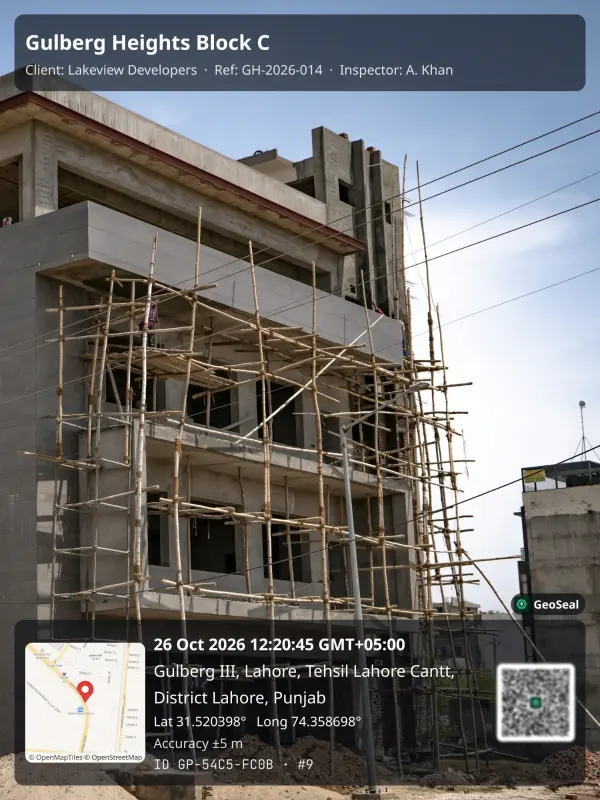
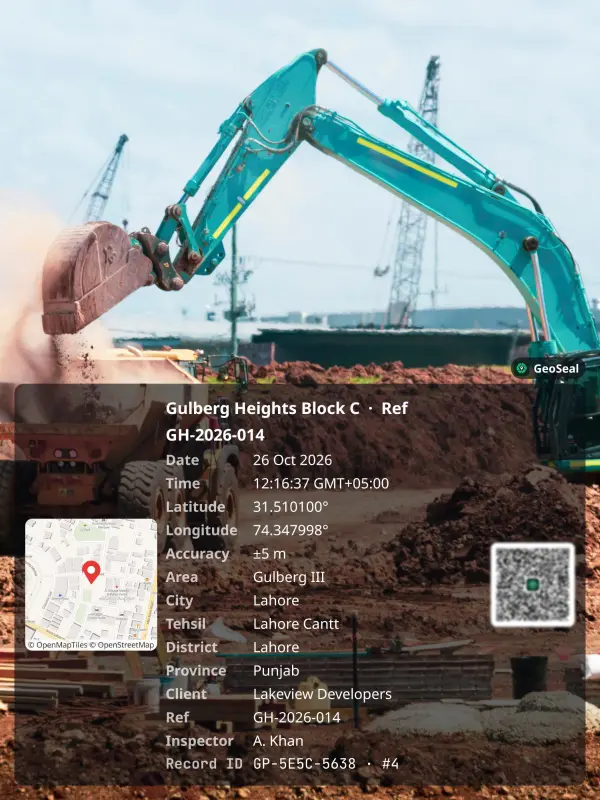
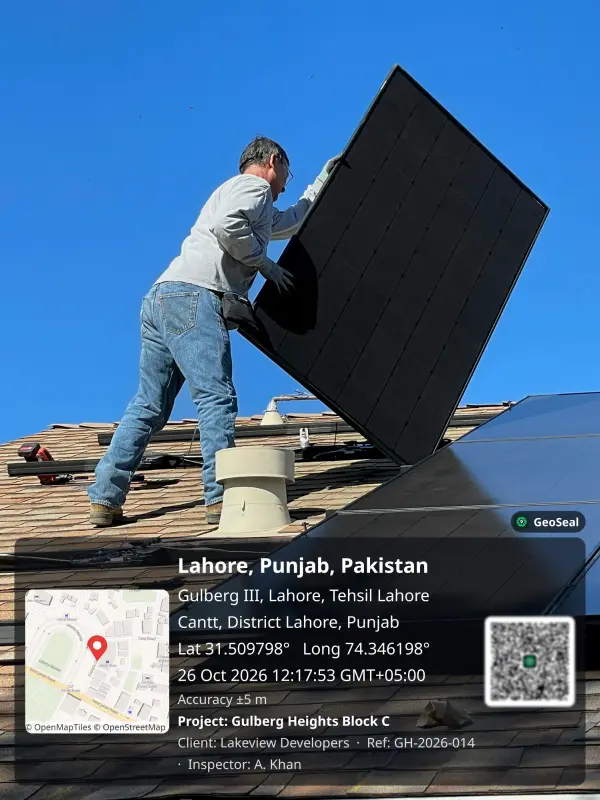
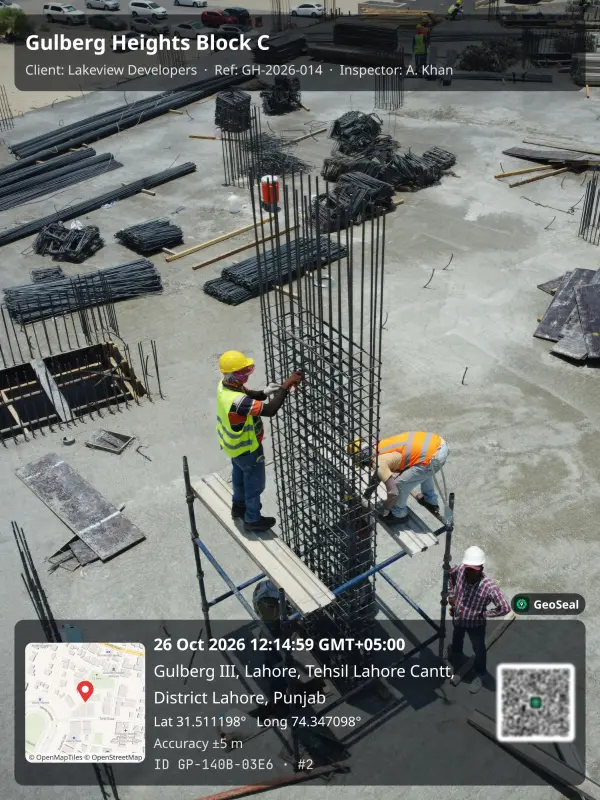
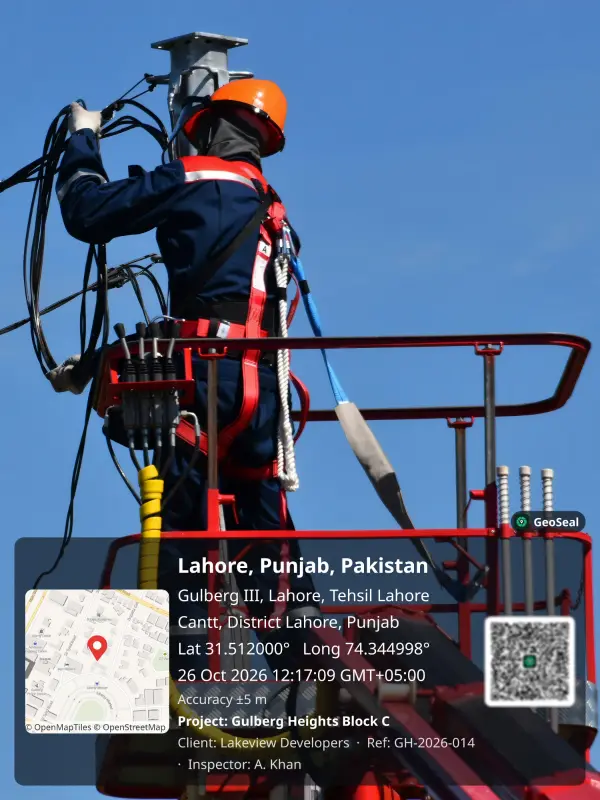
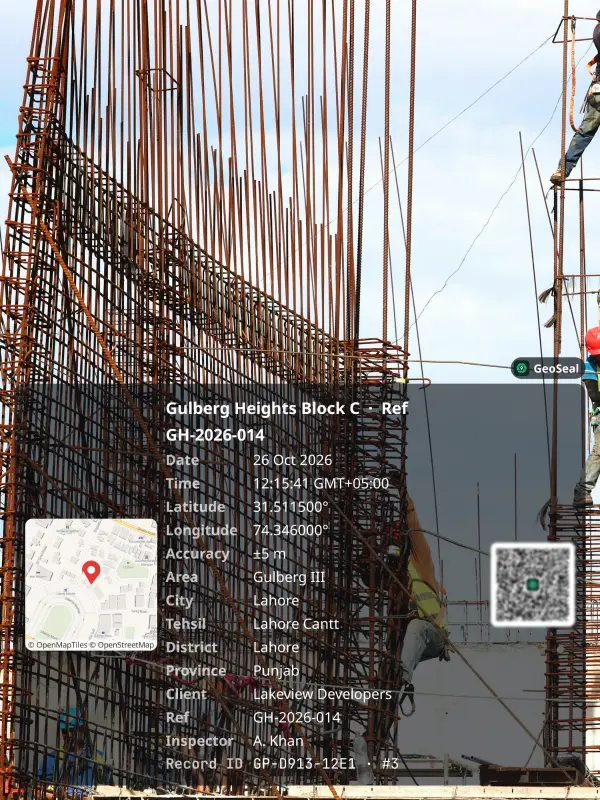
GeoSeal stamps every photo with the date, time, GPS position, address and a small map the moment you take it. Then it seals the photo, so you, your client or an inspector can check it hasn't changed since it was sealed.
 Coming soon toGoogle Play
- Free, every feature included
- No account
- Works offline
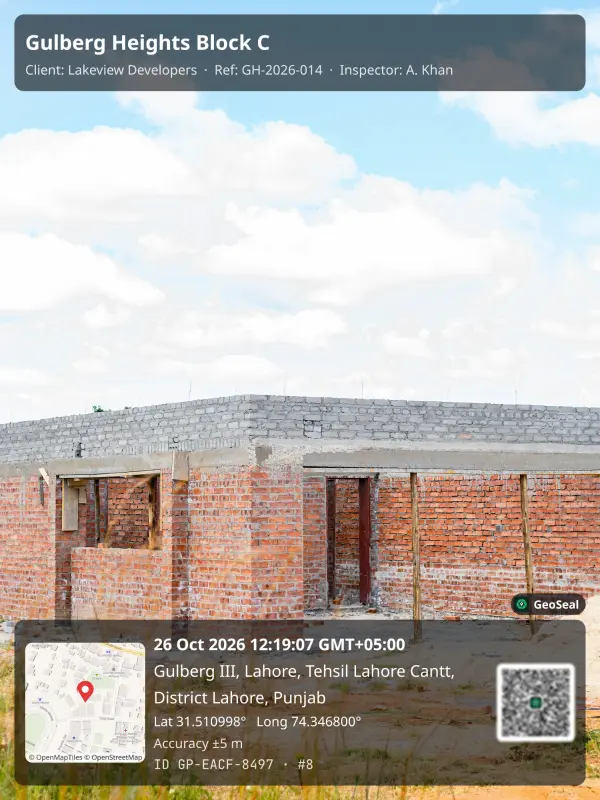
- SHA-256fingerprint of every untouched original
- ES256signature from the phone's own device key
- Custody logevery capture, edit and export, hash-chained
- Offlinestamped and sealed with no signal
How it works
From shutter to proof in three steps
-
Take the photo
The stamp shows the date, time, GPS position, address and a small map, live in the viewfinder.
-
GeoSeal seals it
The untouched original gets a SHA-256 fingerprint, a device signature and its place in the custody log.
-
Anyone can check it
The QR code on the stamp shows where and when on a map. To check the photo itself, drop it on geoseal.app/verify or open Verify a photo in the app: only its fingerprints are checked, the photo is never uploaded. The original gets an exact check. A WhatsApp copy gets a close comparison, which can't rule out small edits.
Built for work that needs proof
One camera for every site visit
-
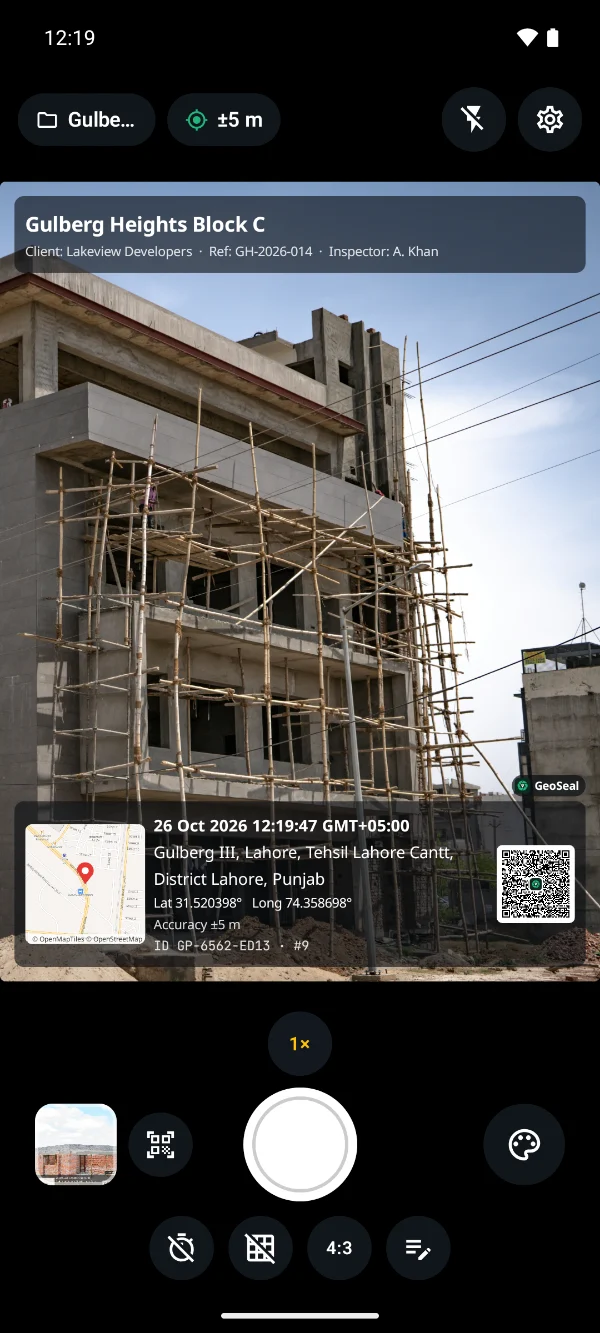
Construction and inspections
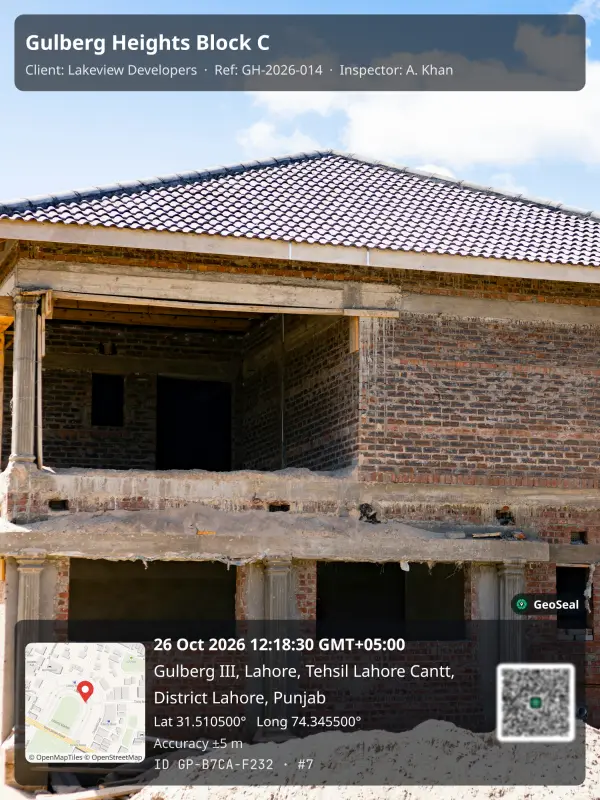
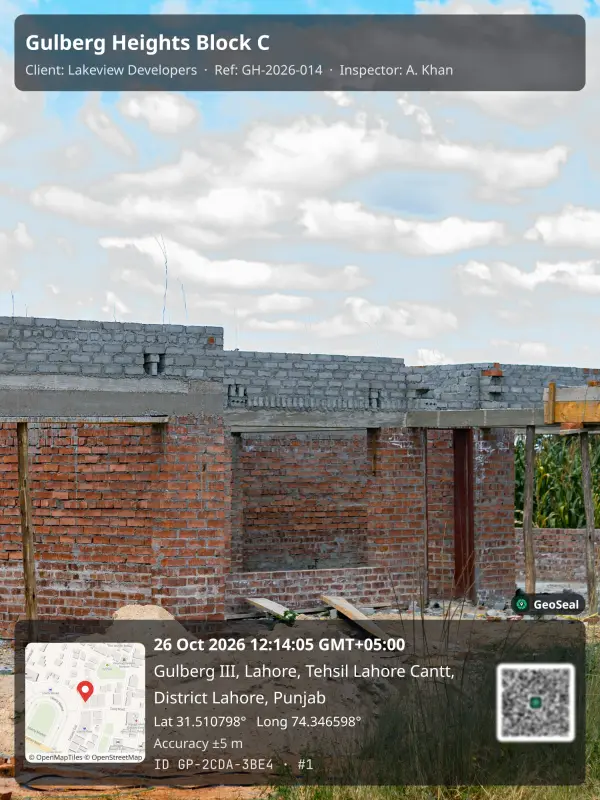
Progress photos per project, with your company, inspector, client and reference on every stamp.
-
Insurance, claims and legal
An untouched original, a SHA-256 fingerprint, a device signature and a custody log for every photo.
-
Field service, solar and utilities
Fast proof of presence with a compact stamp, for installs, repairs, site checks and deliveries.
-
Government and survey work
Tehsil, district and province on the stamp, the way official forms write them.
Addresses that fit the form
The way your country writes addresses
Choose the parts you need and show them in one line, as labelled rows, or from largest to smallest.
- Pakistan
- AreaCityTehsilDistrictProvince
- India
- DistrictStatePIN
- Bangladesh
- UpazilaDistrictDivision
- US
- CountyStateZIP
- UK
- TownCountyPostcode
- The Gulf
- AreaCityEmirate
With no signal, GeoSeal still finds the tehsil, district and province in Pakistan, the upazila, district and division in Bangladesh, and the district and state in India.
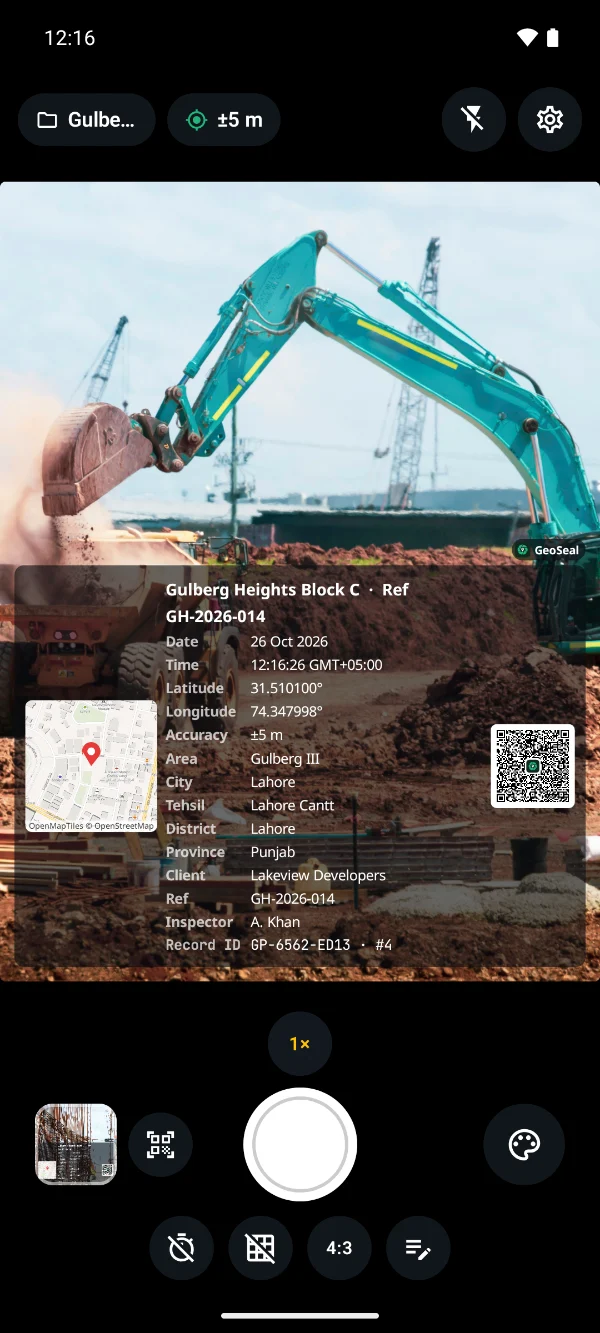
9 stamp styles
See the stamp before you shoot
- Classic Map Card
- Minimal Line
- Forensic Block
- Inspector Report
- Official Record
- Corner Badge
- Survey
- Legal Banner
- Film Date
- Swipe across the viewfinder to switch styles
- Choose the position, colours, text size and fields
- Add your logo, project fields and notes
- Or put the stamp in a band under the photo, so it never covers anything
- A small GeoSeal badge sits beside the stamp; with GeoSeal Pro you can turn it off
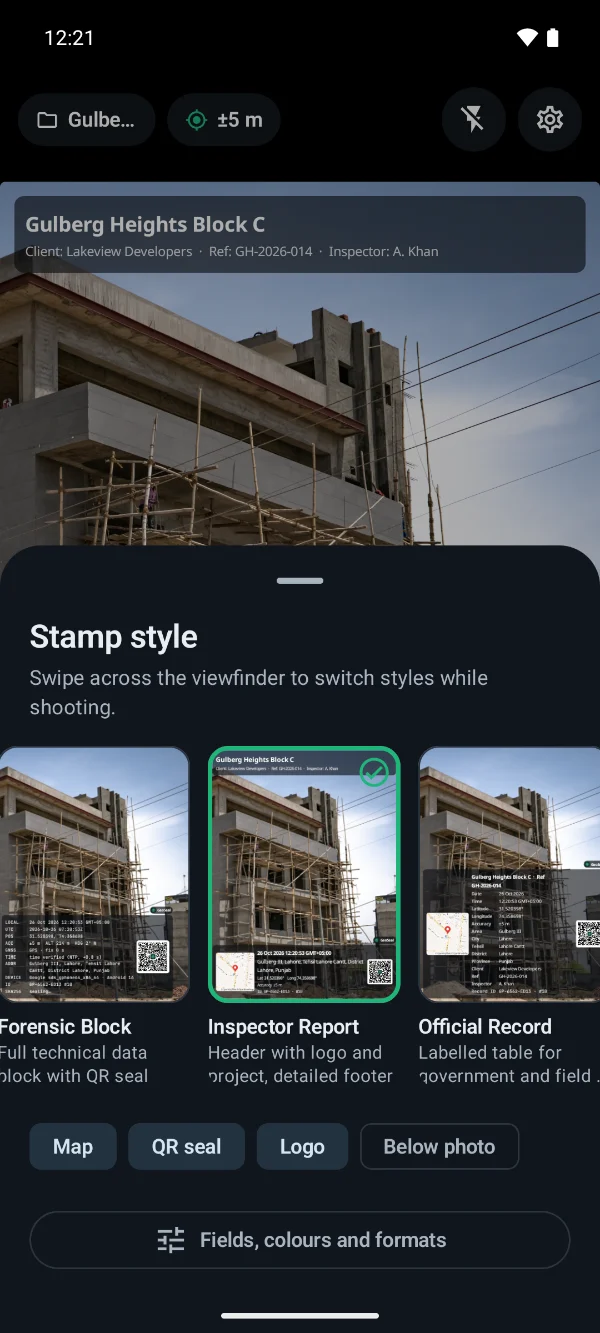
Sealed at capture
Anyone can check it hasn't changed
- The original stays untouched. A separate copy carries the visible stamp.
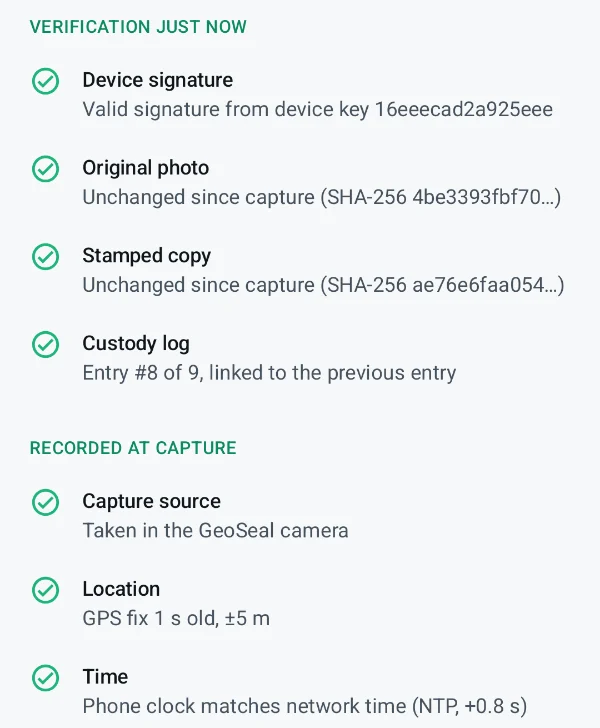
- Fingerprinted and signed. Each photo gets a SHA-256 hash and a signature from the phone's own device key, kept in its secure hardware.
- A custody log. Every capture, note edit, report export and deletion is recorded in a hash-chained log.
- Checkable online. The online seal registers each photo's fingerprints with geoseal.app (never the photo or its location), so a WhatsApp copy can be compared with it for 180 days. You choose at setup, and can change it in Settings.
- Honest about problems. Mock-location apps, old GPS fixes and unverified clocks are flagged, not hidden.
- Front and back together. Take the scene and a selfie in one tap, as one photo with an inset or as two linked photos. Each is sealed on its own, and the verifier shows they were taken together.
Reports and exports
Client-ready reports in one tap
- ZIP
- CSV
- KML
- JPEG
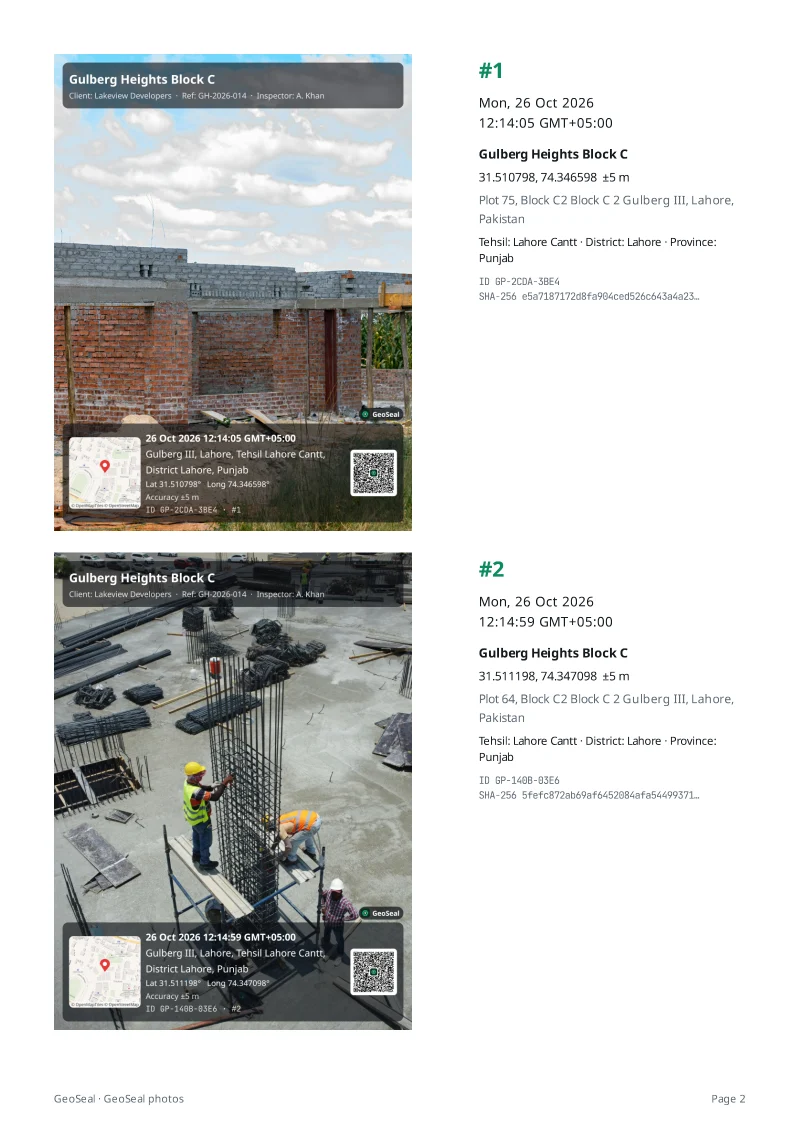
- PDF report: a cover page, two photos per page with time, place and tehsil, and a hash appendix
- Evidence bundle (ZIP): originals, sealed records, signatures and the custody log, checkable without GeoSeal
- Share with proof: the stamped photo together with its evidence bundle, so anyone can check it exactly
- CSV for Excel and KML for Google Earth
- Stamped JPEGs for WhatsApp or email, with an option to remove hidden GPS tags
Organised
Every photo by project, day and place
- Projects with their own style, client, reference and custom fields
- Notes and tags, with every edit signed and logged
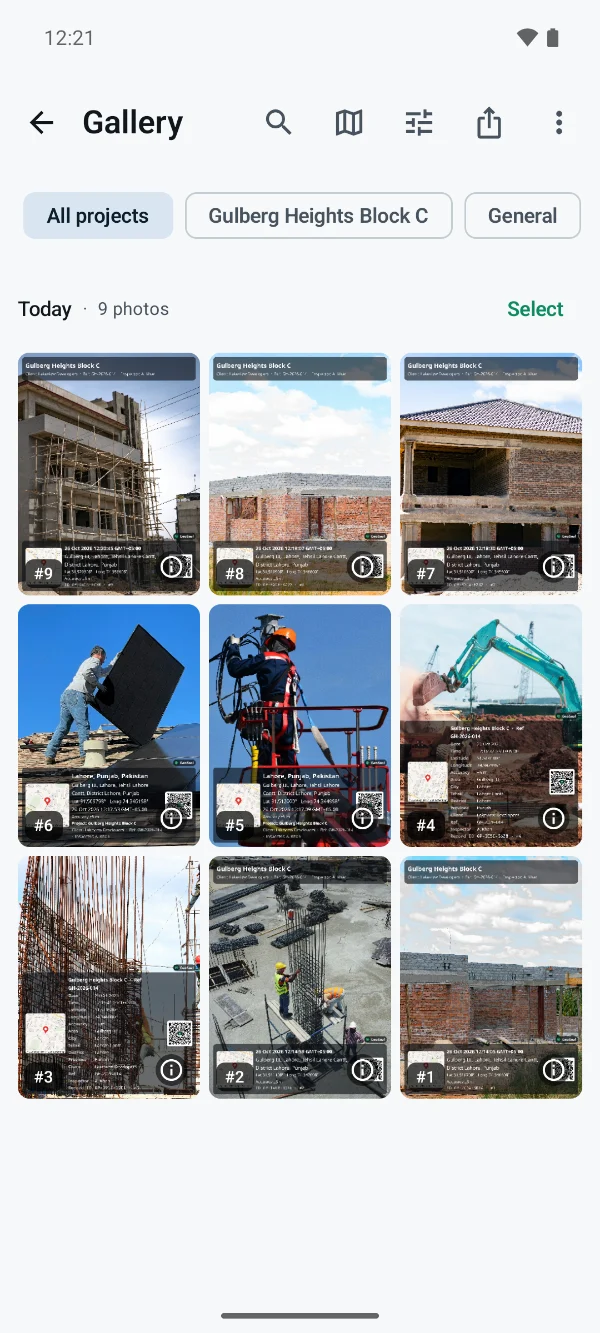
- A gallery grouped by date, place or project, as a grid or a list
- A map of all your photos
- A trash that keeps deleted photos for 30 days
- 12 or 24-hour time and many date formats
Coordinates in
- Decimal
- DMS
- DDM
- UTM
- MGRS
- Plus Code
Private by design
Your photos stay yours
Unless you join a company with GeoSeal Business, no server of ours receives your photos or their location, and there is no account. The online seal sends only each photo's fingerprints, so others can check it, and you can turn it off.
- No account, no analytics The free version shows Google ads, which never see your photos or GPS positions. GeoSeal Pro removes them.
- Photos stay on your phone Unless you share them.
- Location only while you take or import photos Never in the background.
- Gallery lock With Face ID or Touch ID on iPhone, or your fingerprint, face or screen lock on Android.
Will my photos be accepted as evidence?
GeoSeal makes photos checkable: anyone can confirm when and where a photo was taken and that it has not been changed since. Whether a photo is accepted as evidence depends on the rules where you use it.
Does it work without internet?
Yes. Photos are stamped and sealed offline, and tehsils, districts and provinces in Pakistan and Bangladesh (districts and states in India) are found on the phone. The street address and the mini-map need a connection; without one, the stamp shows what is available.
Where are my photos stored?
On your phone, in GeoSeal's private storage, with a stamped copy in your gallery. Export an evidence bundle (ZIP) to keep your own backup.
How does someone check a GeoSeal photo?
Scan the QR code on the stamp: it shows where and when the photo was taken on a map, with a button to verify it. To check the photo itself, drop it on geoseal.app/verify or open Verify a photo in the GeoSeal app: an exact file, or a copy compressed by WhatsApp, is checked against its online seal, and only its fingerprints leave the device. For a full check, use the photo's evidence bundle (ZIP); the photo is never uploaded.
Is GeoSeal available for iPhone?
Yes. GeoSeal is on the App Store for iPhone and iPad, and the Android app is coming soon to Google Play. Photos from either are checked the same way, on this website or in the app.
Is GeoSeal free?
Yes, and every feature works. The free version shows a full-screen ad now and then, only when you leave the camera (never while you are taking photos), and puts a small GeoSeal badge beside the stamp. GeoSeal Pro, a one-time purchase (US$2.99 or the local equivalent, no subscription), removes the ads for good and makes the badge optional.
Get GeoSeal
Free on the App Store for iPhone and iPad, and coming soon to Google Play. GeoSeal Pro removes the ads with one purchase, no subscription.
Coming soon toGoogle Play